What happened
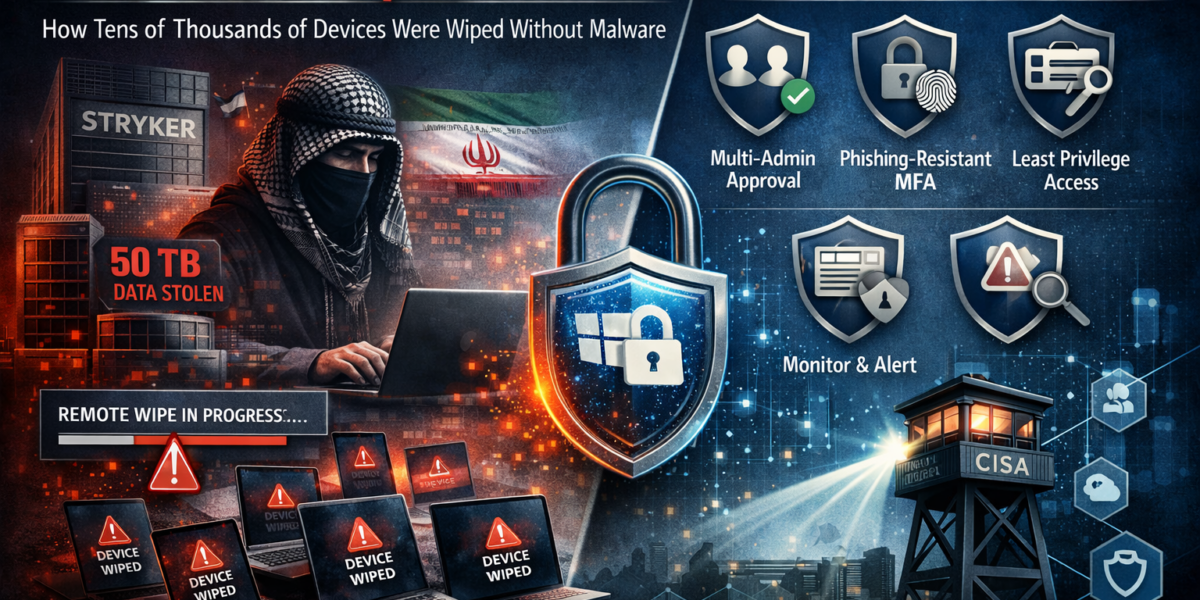
On March 11, 2026, Stryker Corporation — one of the world’s largest medical technology companies — was hit by a devastating cyberattack. The Iran-linked hacktivist group Handala claimed responsibility. They allegedly exfiltrated 50 terabytes of corporate data and then used the built-in remote wipe capability of Microsoft Intune to wipe tens of thousands of devices across 79 countries. No malware, no ransomware — just abuse of existing management tooling.
How the attack worked
The attackers followed an attack chain that demonstrates how dangerous a compromised admin account becomes when no additional security layers are in place:
The attackers gained access to an internal Stryker administrator account. The exact initial attack vector has not been publicly confirmed, but the result was access with elevated privileges.
Using the compromised account, they created a new Global Administrator account in Entra ID. This gave them near-unlimited control over the entire Microsoft environment.
Before striking, the attackers allegedly exfiltrated 50 TB of corporate data — undetected.
Through the Intune portal, they issued a remote wipe command against all enrolled devices. Laptops, desktops, and even personal phones enrolled through Stryker’s BYOD program were wiped — including photos, eSIMs, and authenticator apps.
The impact
The consequences were massive and extended far beyond the loss of devices:
Laptops, desktops, and mobile phones across 79 countries were wiped in one sweep using the legitimate Intune wipe function.
Personal phones of employees were factory-reset too — photos, eSIMs, and authenticator apps were lost along with corporate data.
Ordering, shipping, and supply chain systems went offline. Operations and deliveries to hospitals were delayed.
In addition to the wipe, the attackers claimed to have exfiltrated 50 terabytes of corporate data.
Why this was possible
What stands out about this attack is that no malware was involved. The attackers purely abused the built-in functionality of Microsoft Intune. This raises the question: what was missing in the security posture?
- No Multi-Admin Approval — A single admin was able to execute destructive actions like a mass wipe without requiring approval from a second administrator.
- Overly broad admin permissions — The compromised account apparently had sufficient privileges to create a Global Admin, indicating insufficient role-based access control.
- Insufficient monitoring — The creation of a new Global Admin account and the initiation of a mass wipe should have triggered alerts long before the damage was done.
- BYOD without wipe protection — Personal devices in the BYOD program were hit with a full wipe instead of only corporate data being removed (selective wipe).
How to defend against this
Following this incident, CISA and Microsoft published concrete hardening guidelines. These are the measures you can implement today:
1 Enable Multi-Admin Approval
Configure access policies in Intune that require a second administrator to approve destructive actions. This means a remote wipe, script deployment, or RBAC role change will only execute after a second admin has signed off.
2 Phishing-resistant MFA for all admin accounts
Enable phishing-resistant MFA (FIDO2 keys, Windows Hello for Business, or certificate-based authentication) for all accounts with administrative privileges. Standard MFA via SMS or push notifications is not sufficient — these methods are vulnerable to MFA fatigue and adversary-in-the-middle attacks.
3 Apply least privilege and RBAC
Use Intune’s built-in Role-Based Access Control to grant administrators only the minimum permissions they need. Nobody needs standing Global Admin rights for day-to-day management. Use Privileged Identity Management (PIM) for just-in-time activation of elevated roles with time limits and approval workflows.
4 Monitor and alert on admin actions
Set up alerts for the creation of new admin accounts, bulk device actions, and changes to Conditional Access policies. Use Microsoft Sentinel or Defender for Cloud Apps to automatically detect and block suspicious patterns such as a mass wipe outside business hours.
5 Rethink your BYOD policy
For BYOD devices, use App Protection Policies instead of full device enrollment. This way, in the event of an incident, you can remove only corporate data (selective wipe) without touching personal data. Employees will not lose their photos, eSIMs, or personal authenticator apps.
6 Conditional Access for privileged actions
Restrict access to the Intune Admin Center and destructive Graph API calls to compliant, managed devices from known locations. Combine this with sign-in risk policies so that suspicious login attempts are automatically blocked or require additional verification.
Conclusion
The Stryker breach demonstrates that your most powerful management tool can also be your largest attack surface. Microsoft Intune is designed to manage devices at scale — and that is exactly what the attackers did, only with destructive intent. The lesson is clear: treat your management plane as a tier-zero asset. Multi-Admin Approval, phishing-resistant MFA, least privilege, and proactive monitoring are no longer nice-to-haves. They are the minimum baseline.